MAP
Project map
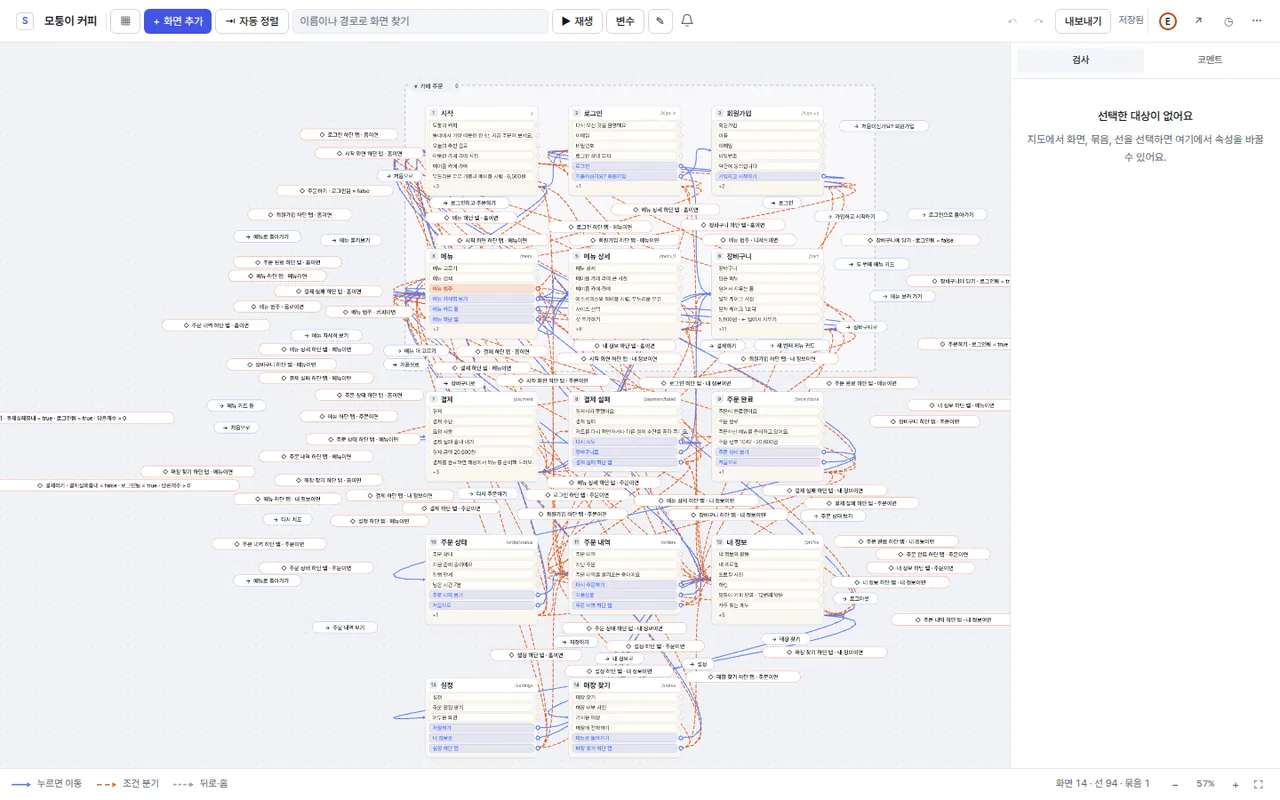
Lay out every screen on menu groups and draw paths from buttons and selectors to the next screen.
- Navigate, condition, and back paths told apart by color and shape
- Collapsible groups and auto-arrange
The app design tool built for Claude.
Place screens in menu groups, draw paths from buttons and selectors to the next screen, then define conditions and transitions. Export a detailed md Claude can turn into code.
What would you like today?
Short videos cover the map, editor, design tokens, motion, Claude setup and Figma import.
FEATURES
Drawing screens is only the start. The paths between them, the motion, and the spec you hand off all live in the same project.
Lay out every screen on menu groups and draw paths from buttons and selectors to the next screen.
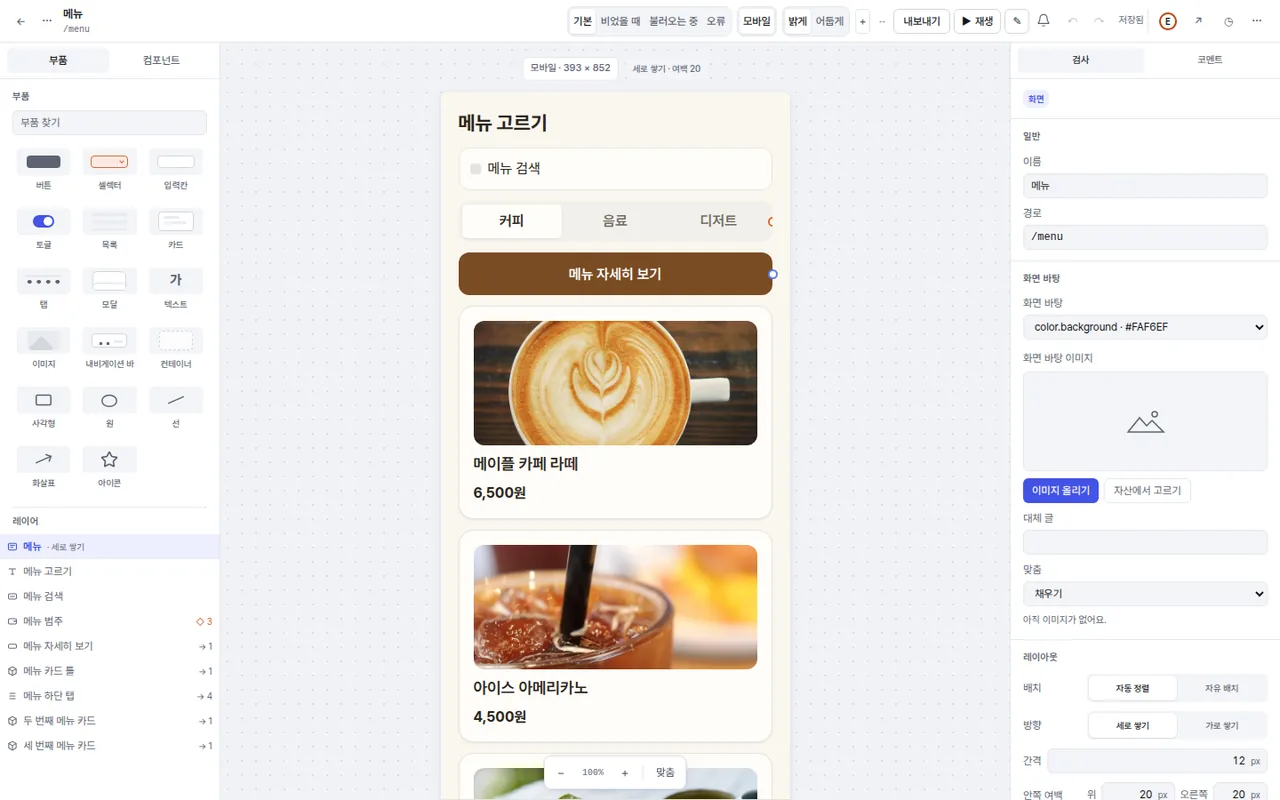
Place 15 kinds of parts — buttons, selectors, inputs, lists, tabs, modals and more — already styled by your design rules.
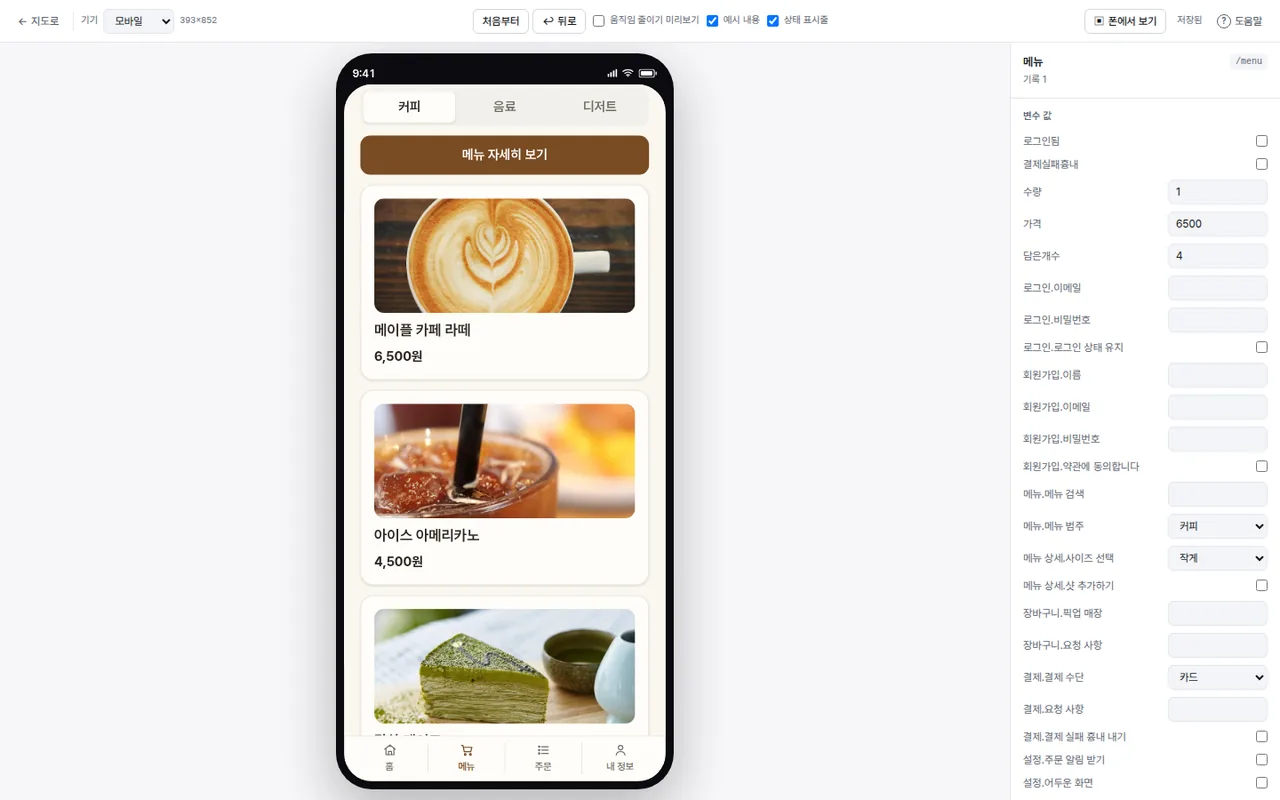
Set motion with 60 presets for transitions, overlays, presses and more, plus 34 triggers, then tap through it in the player.
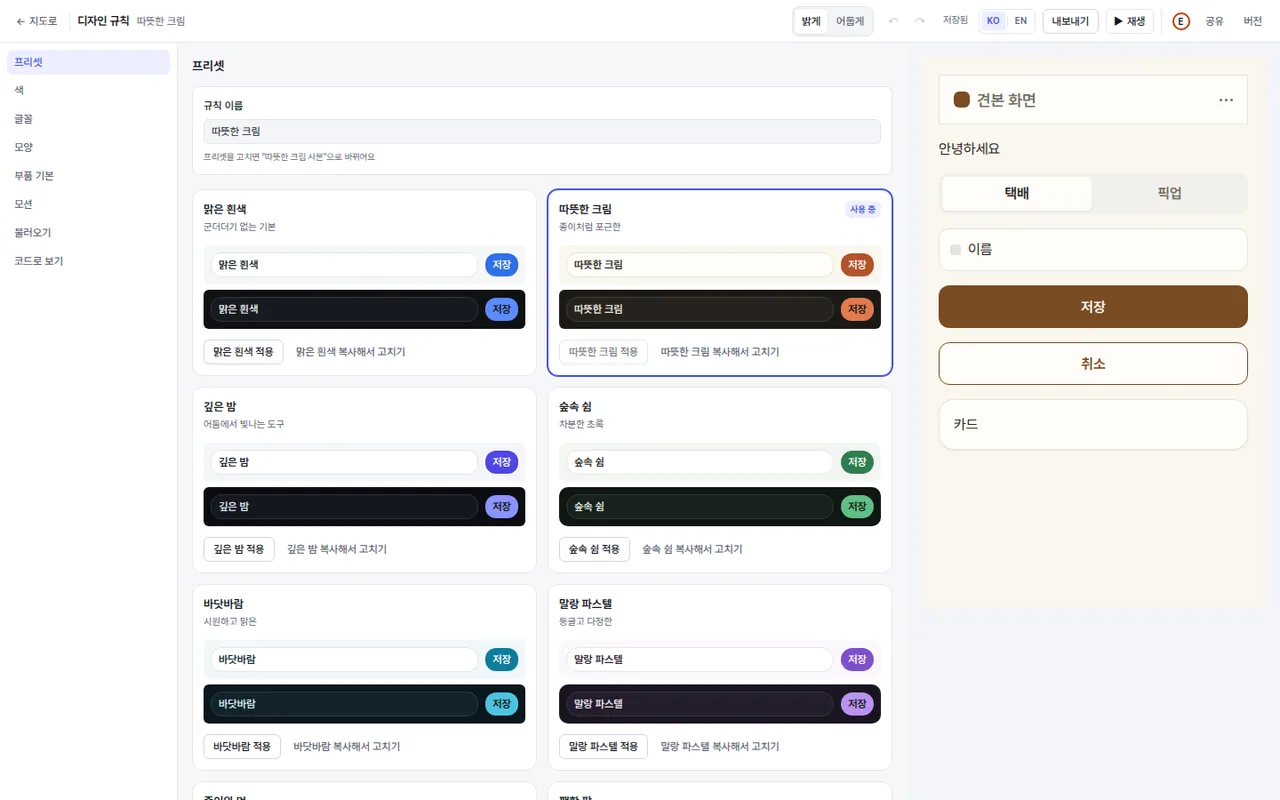
Export screens, paths, conditions, transitions, design tokens, and pixel boxes as one Markdown file in a fixed format. Claude reads it and writes the code.
Connect Claude over MCP and it can read and edit your screens. Its changes show up highlighted in purple as they happen.
The Figma plugin exports variables, styles, components, screen frames, and prototype links, and imports Figma frames as a new project.
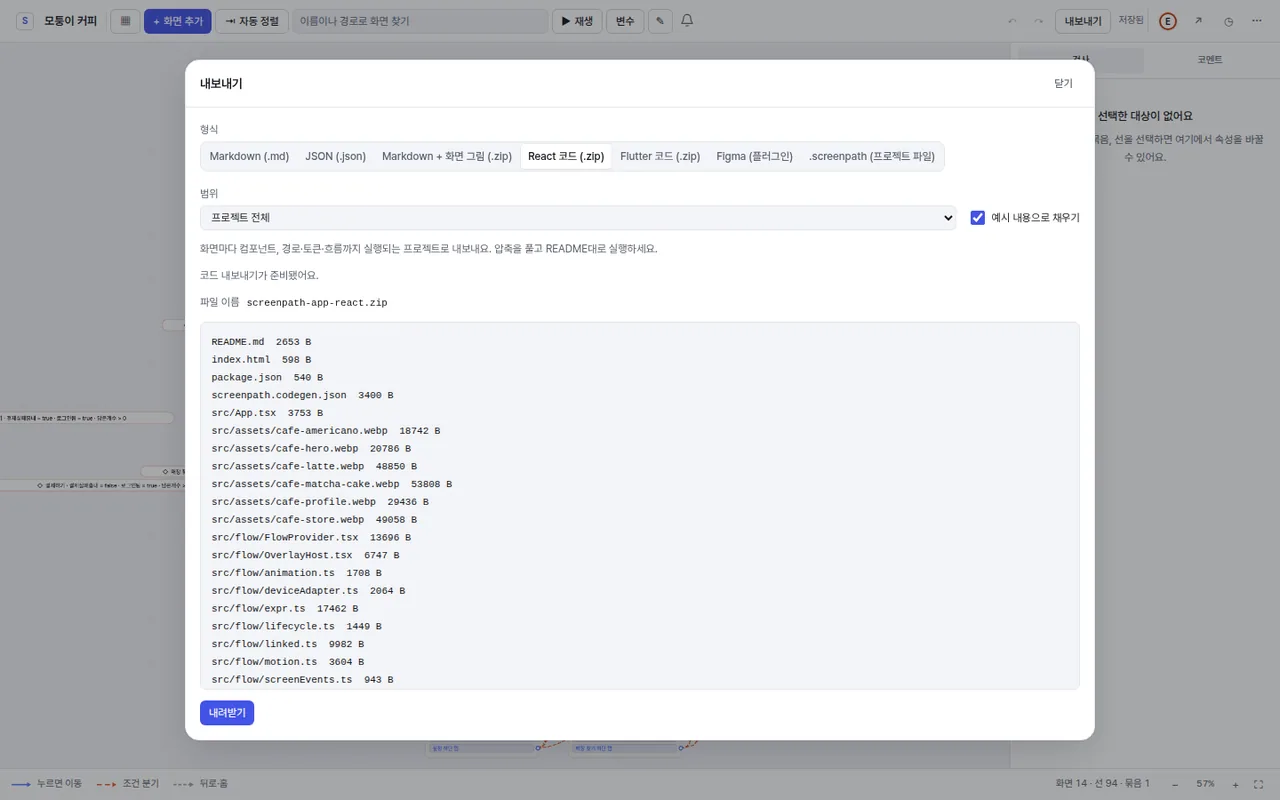
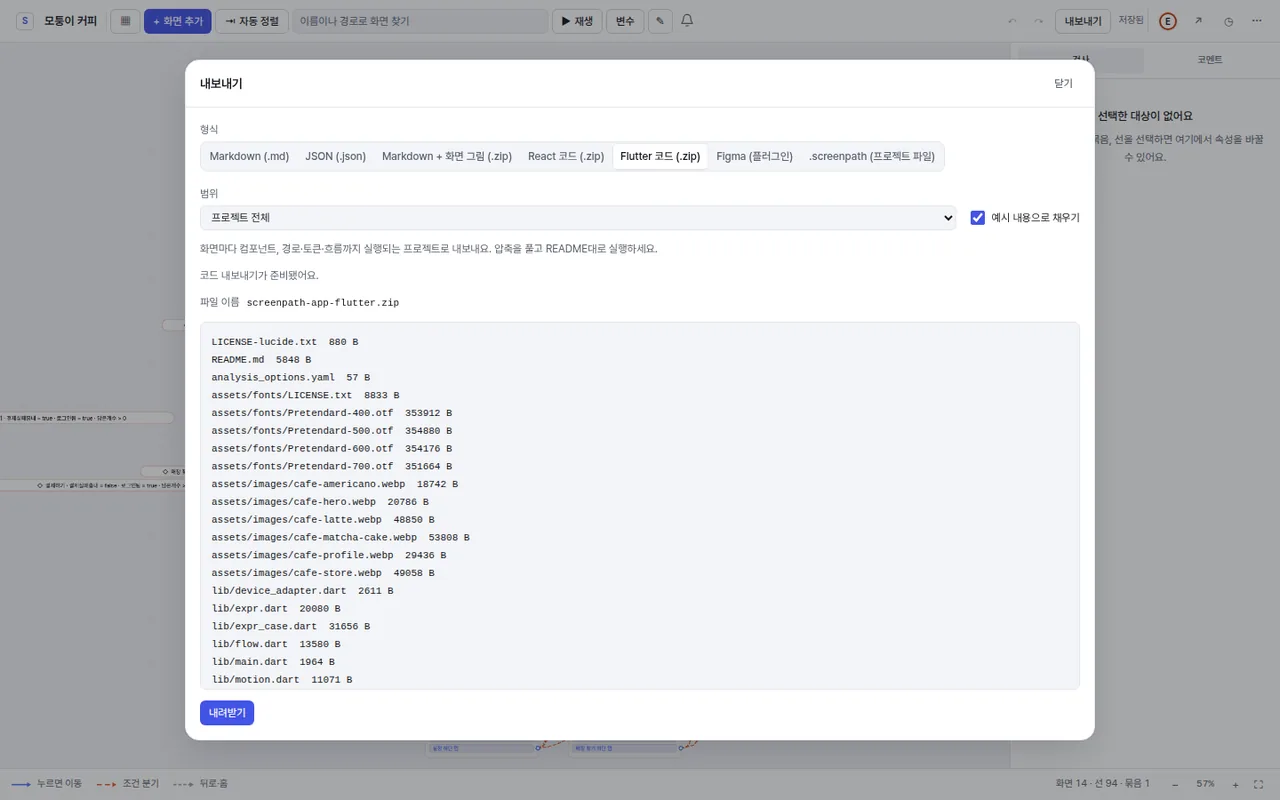
Export the screens you designed as React and Flutter code.
Edit the same project with your team at once, leave comments on screens, and share reusable components with variants.
HOW IT WORKS
Start from a blank map or from a sample project.
Arrange the screens you need in menu groups. Shopping, money transfer, space booking, community, and admin dashboard samples get you going.
Build screens from parts, then set where each button and selector leads, under which condition, with which transition. Tap through it in the player to refine.
Export the Markdown spec or connect Claude over MCP, so it writes code with the same context and edits the design with you.
SCREENSHOTS
Captured as-is from the sample projects.
COMPARE
All three are good tools. ScreenPath focuses on the flow between screens, and on handing that flow to code.
| Item | ScreenPath | ProtoPie | Figma prototyping |
|---|---|---|---|
| Core unit | Every screen of the app and the paths between them (map) | Scenes with triggers and responses | Connections between design frames |
| Building screens | Assemble from 15 kinds of parts | Import designs from Figma and other tools | Design on a free vector canvas |
| Conditional branches | A destination per selector value or variable condition, dashed on the map | Variables and condition responses | Variables and conditional expressions |
| Motion | 60 presets · 34 triggers | Detailed interactions and sensors | Transitions such as Smart Animate |
| Handoff to AI coding tools | Fixed-format Markdown spec + MCP read/write | — | Dev Mode · MCP server |
| Code export | React · Flutter | — | — |
| Figma integration | Plugin export and import | Import from Figma | — |
Based on each product's public documentation (October 2026). '—' means the item is not covered by this table, not that the feature is missing. ProtoPie and Figma are trademarks of their respective owners.
PRICING
Per-person subscription. Cancel anytime.
US$0
1 project · 20 screens
US$12 / month
US$119 / year · KRW 12,900 / month in Korea
KRW 5,500 / month
Students and staff of accredited schools in Korea
Prices include tax.
FAQ
Anything else? Email ceo@flowmate.kr.
The free plan gives you the map, screen editor, motion, player, and Markdown export for 1 project and up to 20 screens. MCP connections, inviting teammates to your projects, and version history are Pro features; anyone can edit a project a Pro owner invites them to. There is no free trial period.
International cards, PayPal, and other methods go through the Paddle checkout, where Paddle.com Market Limited is the seller. The pricing page shows which payment methods are open right now, including Korean cards billed in won. Prices include tax, and you can cancel anytime from billing settings.
Within 7 days of a payment, if you have not used paid features, you get a full refund. If you have used them or 7 days have passed, the remaining period is refunded pro rata. Where your local law gives you more (for example the 14-day EU/UK right of withdrawal), that applies. See the refund policy for details.
Students and staff of accredited schools in Korea (primary, secondary, and universities) can subscribe for KRW 5,500 a month after school verification. Private academies are not eligible.
Projects and files are stored in Google Cloud's Seoul region, and the live co-editing log in the Singapore region. We never use your content for advertising or AI model training. You can download all your data or delete your account from settings.
Claude can read your project structure, screens, and design rules, and create or edit screens, parts, paths, and motion directly. Changes appear right away in the screens you have open, and each edit is one undo step. You connect with OAuth on the Pro plan. ScreenPath does not send your project data to AI providers to run the service — Claude reads it only when you connect it yourself.
The ScreenPath Figma plugin exports a project as Figma variables, styles, components, frames, and prototype links, and imports Figma frames into a ScreenPath project. For now you download the plugin and install it in the Figma desktop app yourself. A few motions Figma cannot reproduce, such as pinch and rotate, become the closest equivalent.
You can export the screens you designed as React and Flutter code. For a bigger app, hand the Markdown spec or an MCP connection to Claude and it continues the implementation to match your project structure.
Sign-in is Google accounts only, and owner, editor, and viewer access is checked by server-side rules on every project. Every page ships a strict Content Security Policy and refuses to be framed by other sites, and you can disconnect MCP clients at any time.
Start with your Google account. Five sample projects are ready.